What's New
Note: Full release information is available in the Summer '25 (9.16) Release Notes.
Described below are the key changes delivered with this release:
MaxAI
Accessing AI guidance in the Altify interface
Access Agentforce guidance with the click of a button at the following locations:
-
Account details of an account plan (or row details of an Account Manager plan): click the Generate with MaxAI button to generate a suggested answer for the accompanying question - as shown in the example below.
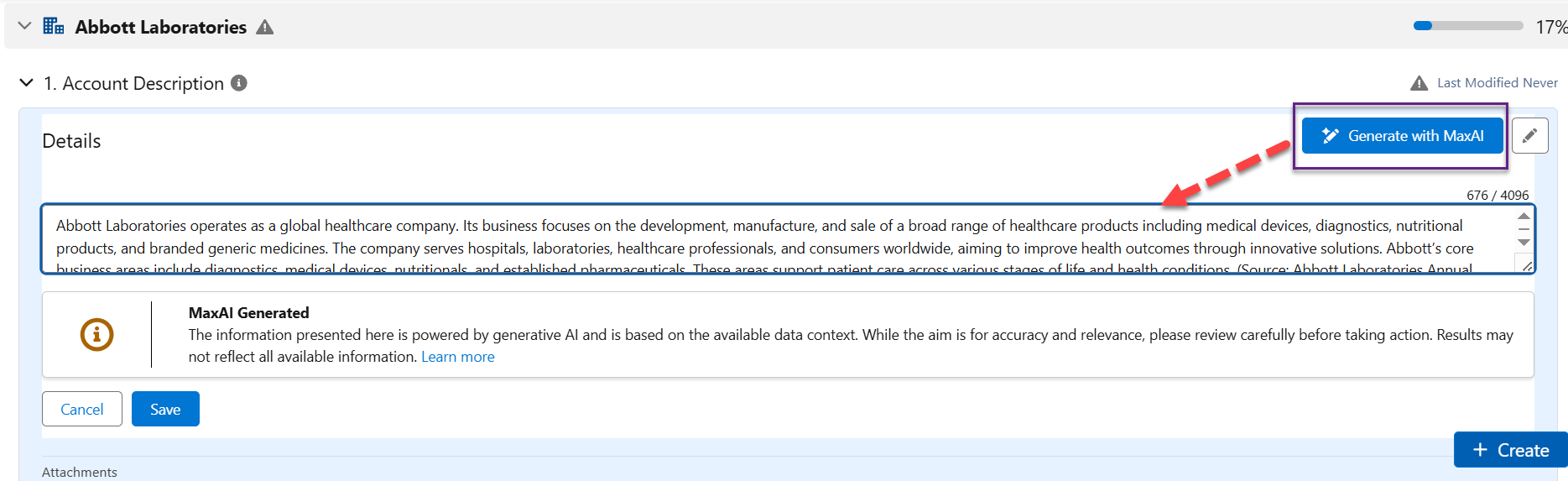
For more information, see Using MaxAI to Complete Account Details.
-
Account or opportunity insight map: click the Generate with MaxAI button to generate a section of suggested insights - as shown in the example below.
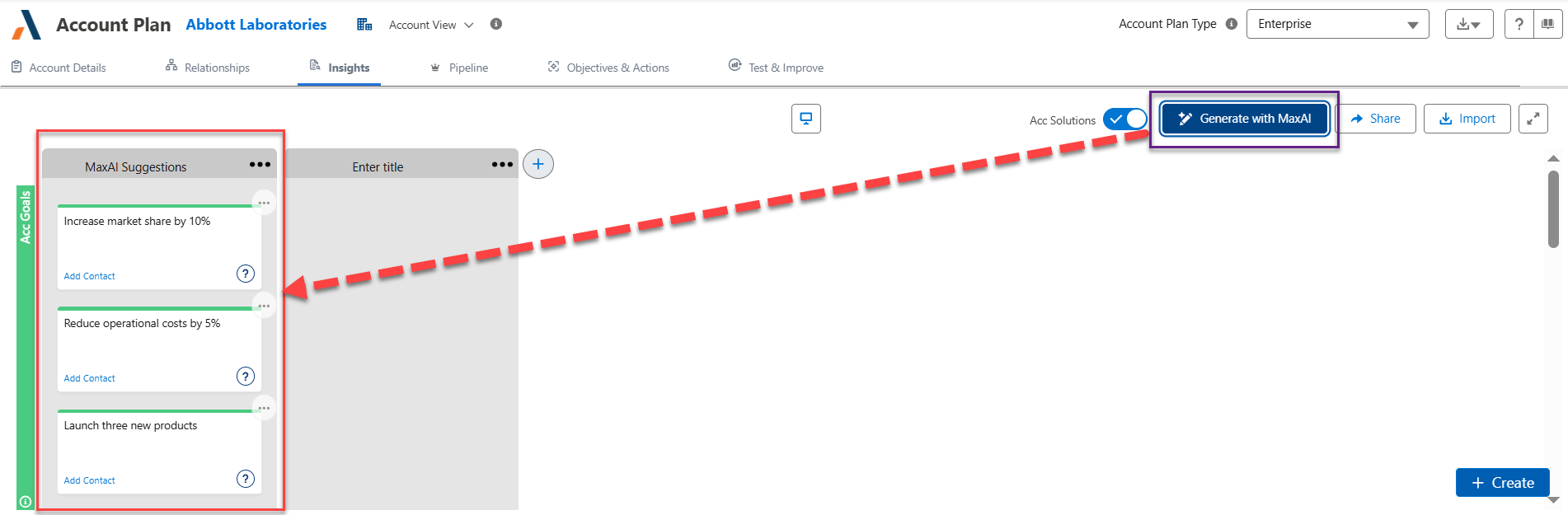
For more information, see Using MaxAI to Populate an Insight Map.
MaxAI access in the Altify interface needs to be configured by an administrator. For more information, see Enabling MaxAI in Altify.
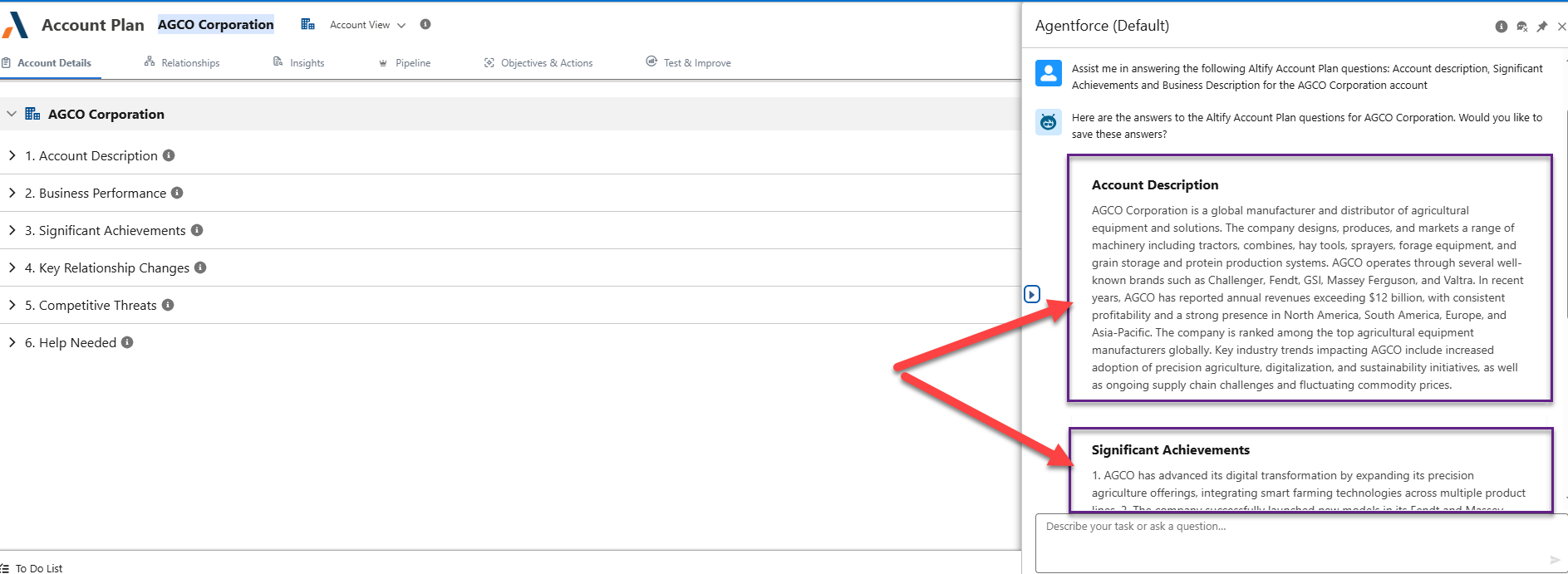
Improved formatting of Agentforce account/row detail responses
When AI guidance is accessed via the Agentforce chat, its account/row details suggestions are now presented as distinct cards that are easier to discern - as shown in the example below.
Account Manager
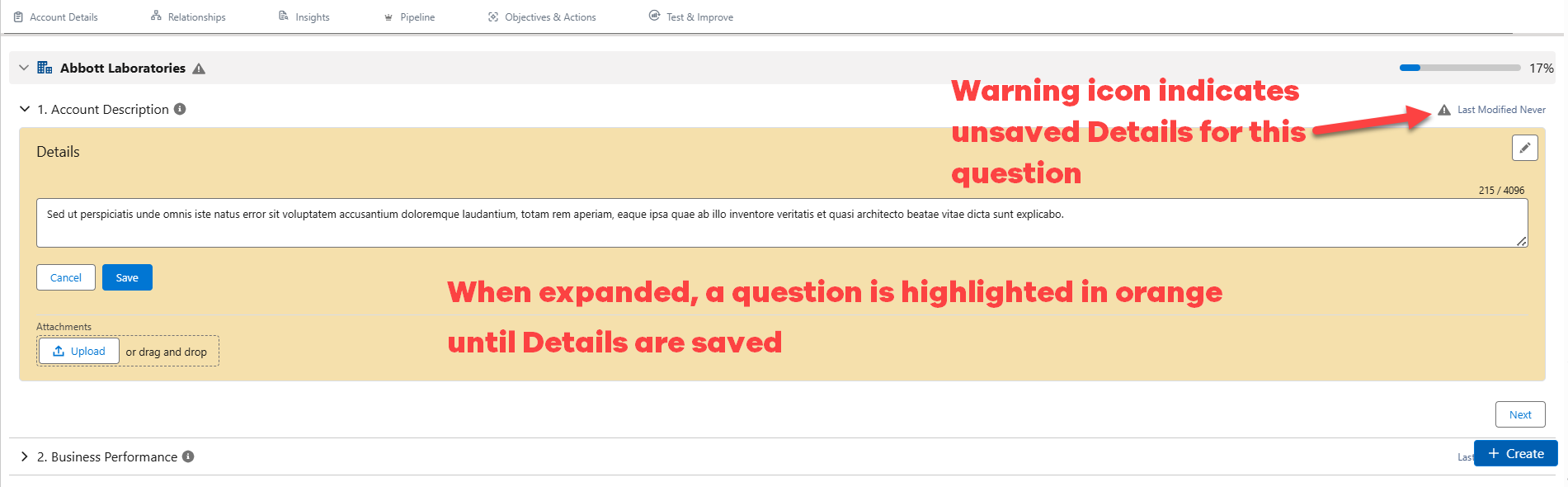
Flagging of unsaved account/row details
To avoid the accidental loss of data, unsaved account details in an account plan (or row details in an Account Manager plan) are now flagged as follows:
Exporting of account plans
The exporting of account plans to a PowerPoint file is now possible. As with Account Manager plans, the export function is accessed via the Export drop-down in the upper right-hand corner - as indicated in the example below.

Account plan PowerPoint exports include a new relationship map output whereby an image of the map is included in the PPT file. An example is shown below:
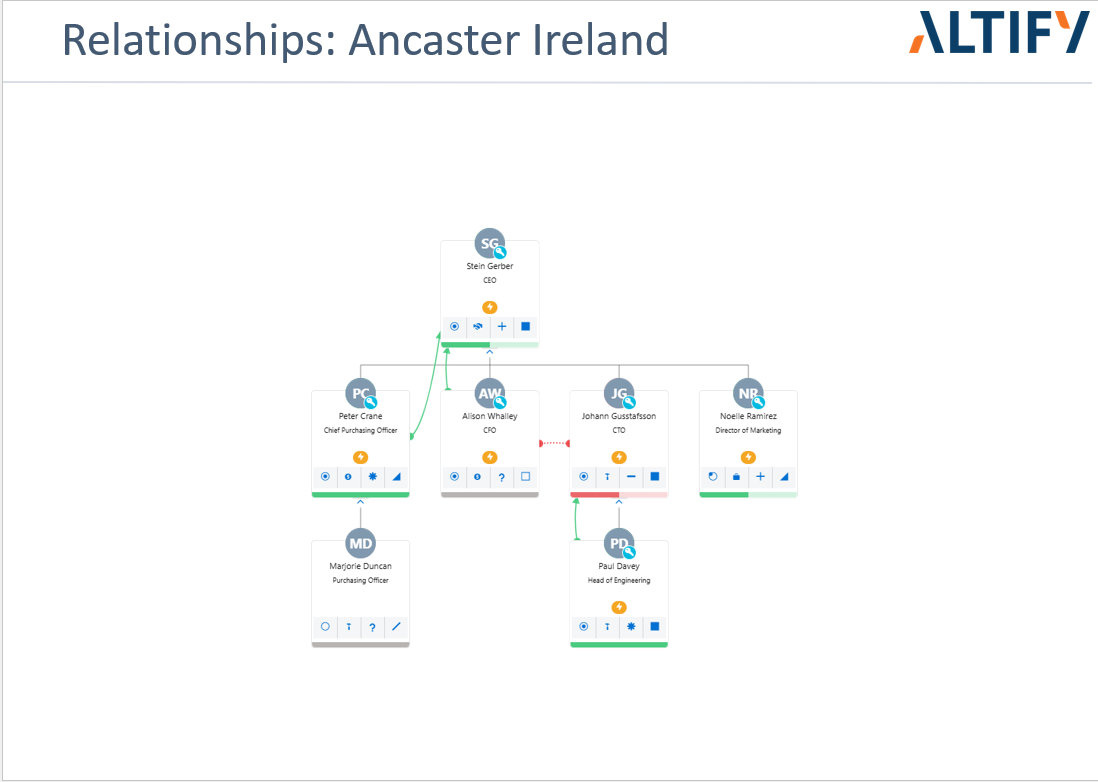
For more information, see Exporting to PowerPoint.
Test & Improve
Reintroduction of test & improve timer
Display a timer in your Opportunity Manager and Account Manager test & improves - as indicated in the example below.

Your administrator can enable this feature - it is not displayed by default. For more information, see the following:
-
Enabling a T&I Timer [AM]
-
Enabling a T&I Timer [OM]
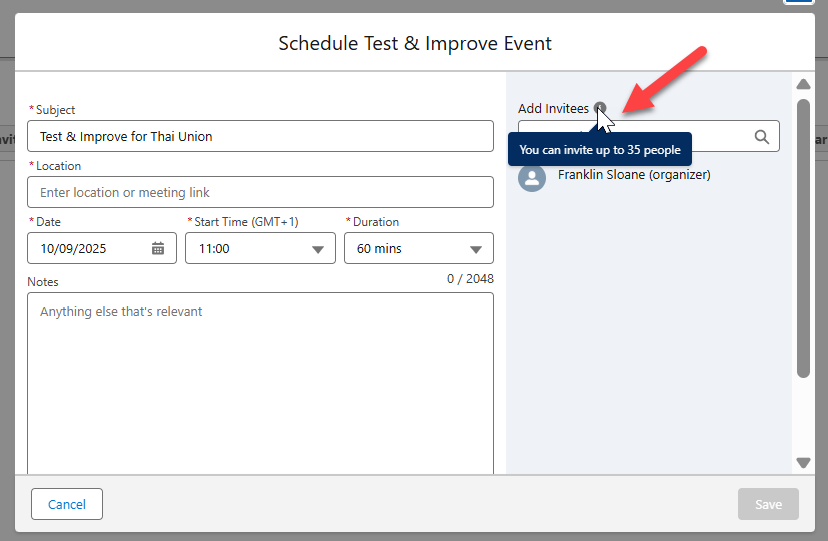
Maximum number of T&I attendees increased
The maximum number of people who can attend a T&I is increased from 15 to 35 – as indicated below:
ROI Dashboards
Two Return on Investment dashboards (one for managing opportunities and another for account planning) provide your organization with a clear view of Altify's impact on your sales.
The 'Account Planning ROI' dashboard shows how Altify is driving pipeline momentum, improving pipeline quality, increasing conversion rates and boosting sales effectiveness across the key metrics of win rate, sales cycle and deal size.
The 'Opportunity Manager ROI' dashboard shows how Altify engagement is improving pipeline speed and execution across the same metrics.
Both dashboards compare the performance of accounts and opportunities managed within Altify and those managed without.
For more information (including installation and a report breakdown) see Return on Investment (ROI) Dashboards. Both dashboards are available as unmanaged packages and can be customized as you would any other reports in Salesforce.
Relationship Maps
Support for the Account Contact Relationship object
Altify offers limited support if your organization uses the standard Account Contact Relationship object.
The account contact relationship object is a junction object that allows you to associate a single contact with multiple accounts (a direct relationship with their primary account and an indirect relationship with other accounts). For more information, see Contacts to Multiple Accounts in the Salesforce Help.
Altify relationship maps supports these relationships as follows:
-
When adding contacts to a map, contacts indirectly associated with the account are available for selection in the list of contacts suggested by Altify.
-
Adding or creating a contact on a relationship map will create an Account Contact Relationship record connecting the contact with the relevant account.
-
The Account Contact Relationship record will capture whether this is a direct or indirect relationship (indirect if the contact belongs to a different account than the one associated with the relationship map).
For more information, see Supporting Account Contact Relationships .