Using MaxAI to Populate an Insight Map
Need some assistance with unearthing insights and adding them to your insight map? Agentforce, Salesforce's AI tool is on hand (via the Altify MaxAI extension package) to identify goals, pressures and so on, and save them to your map.
Note: this option is only available if your administrator has installed Altify's MaxAI extension package. Speak to your admin for further information.
There are two ways in which AI guidance can be accessed - depending on how your admin has configured your org:
-
Via a button in the Altify interface on the account or opportunity insight map. Clicking the button generates suggested insights (which can be edited as required) for the relevant map. This button is only displayed if configured to do so by your admin. For more information, see Accessing AI guidance via the Altify interface.
-
Via the Agentforce chat panel. This involves specifying the account or opportunity you need assistance with. Suggested insights can be saved to your plan and then edited as required. For more information, see Accessing AI guidance via Agentforce chat.
In both of the above scenarios, the insights generated by MaxAI are marked such as on the information panel (as shown in the example below).
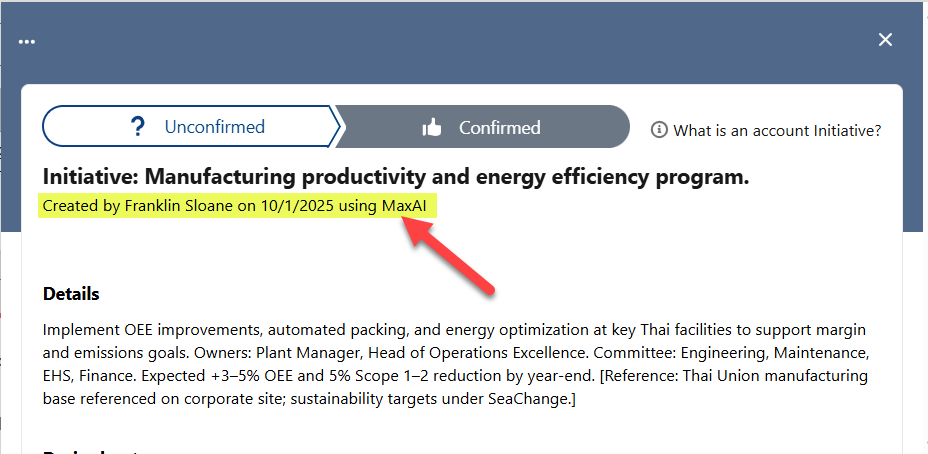
Accessing AI guidance via the Altify interface
-
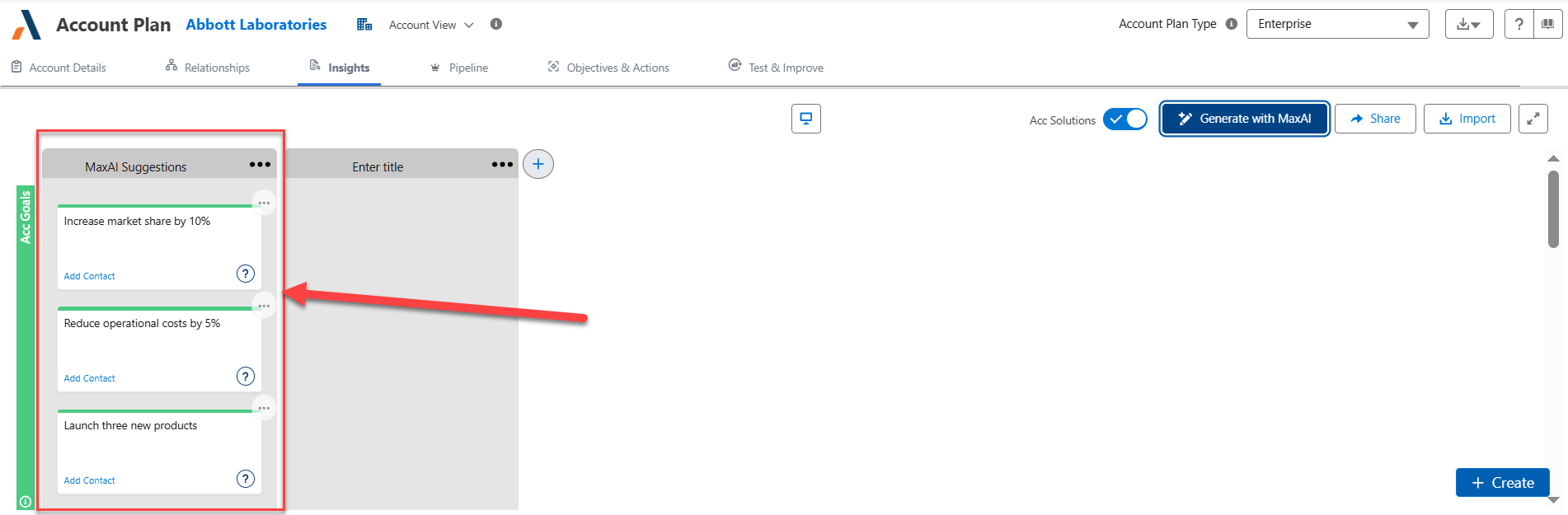
On the relevant account or opportunity insight map, click the button Generate with MaxAI (as indicated in the example below).

Following a few seconds of calculation, MaxAI saves its suggested insights in a new section entitled 'MaxAI Suggestions' - as indicated in the example below:
-
Review the suggested insights, and move, edit or remove them as required. (The section title can also be renamed).
Accessing AI guidance via Agentforce chat
-
Click the Agentforce icon
 to access the tool.
 -
In the MaxAI panel that opens, enter and send a request (
 ) such as the following, specifying the account/opportunity that you require help with:
'Help me populate the Altify insight map for the [account/opportunity name] account/opportunity'
Below is an example of Agentforce responding to a request.
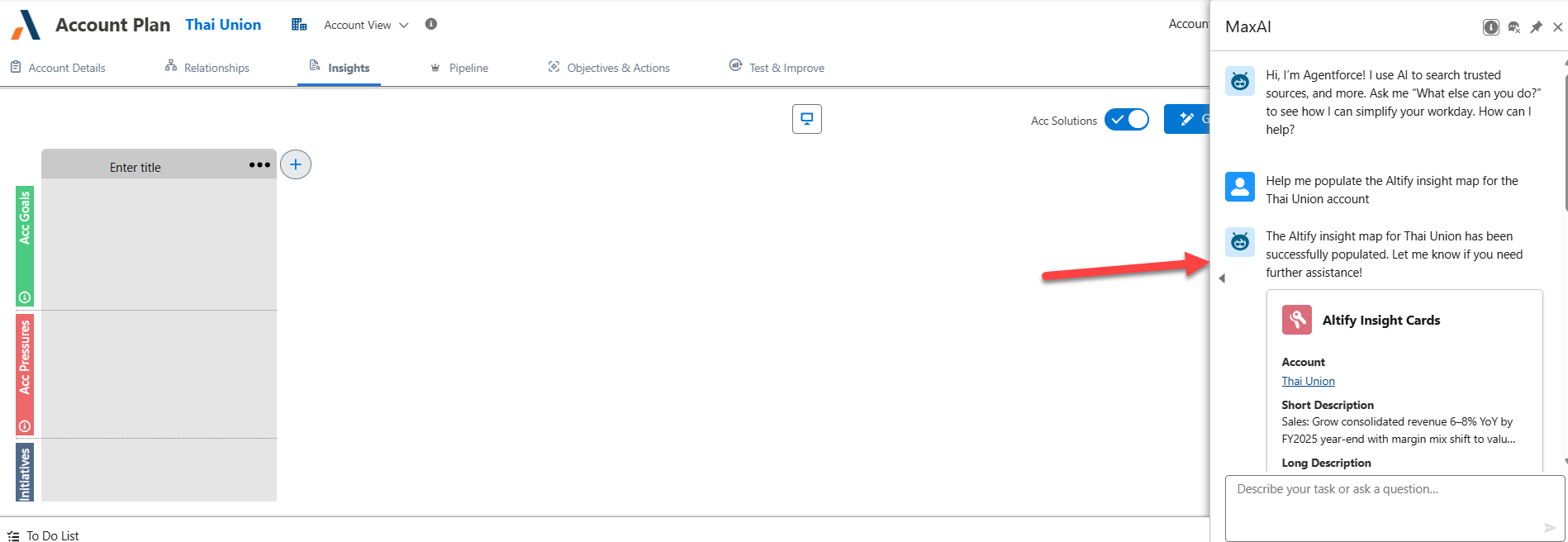
The insights are automatically added to your map (refresh the screen to view them).
Note: the above is based on the default behavior of the MaxAI package. However this behavior can be customized by your administrator.