Using MaxAI to Populate an Insight Map
Need some assistance with unearthing insights and adding them to your insight map? MaxAI, Altify's AI tool powered by Agentforce, is on hand to identify goals, pressures and so on, and save them to your map.
Note: this option is only available if your administrator has installed Altify's MaxAI extension package and enabled the Generate with MaxAI button. Speak to your admin for further information.
To generate insights for your account or opportunity, do the following:
-
Click the button Generate with MaxAI in the upper right-hand corner of your account or opportunity insight map (as indicated below).

-
Following a few seconds of calculation, MaxAI saves its suggested insights in a new section entitled 'MaxAI Suggestions' - as indicated in the example below:
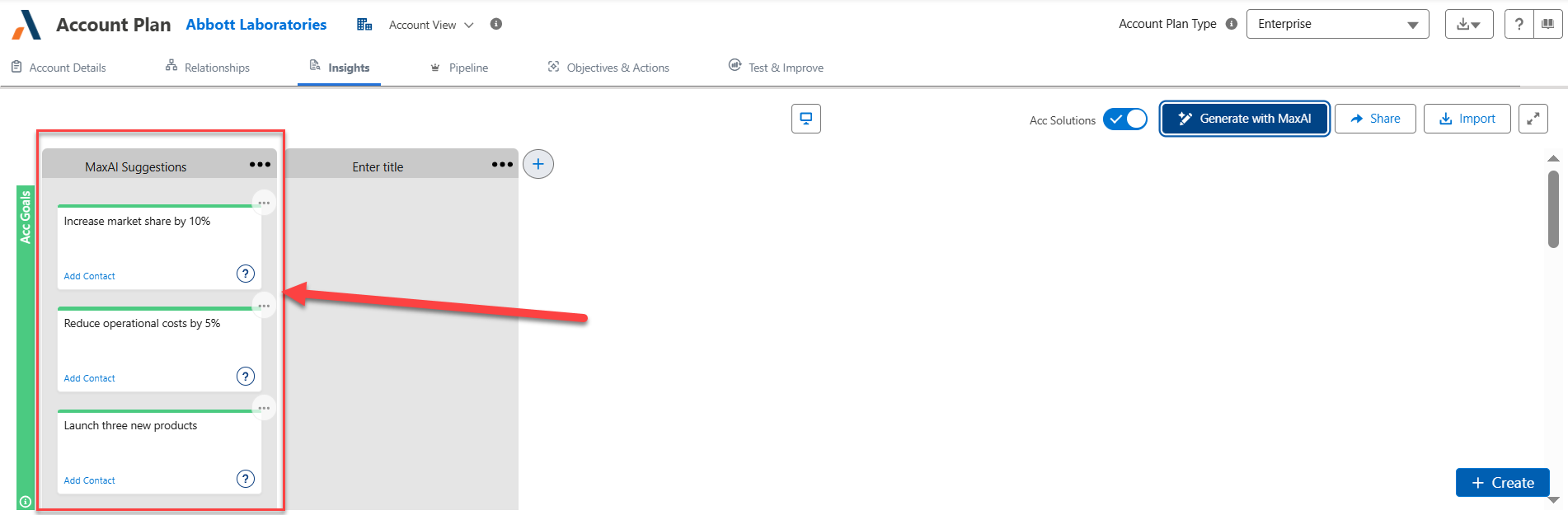
-
Review the suggested insights, and move, edit or remove them as required. (The section title can also be renamed).
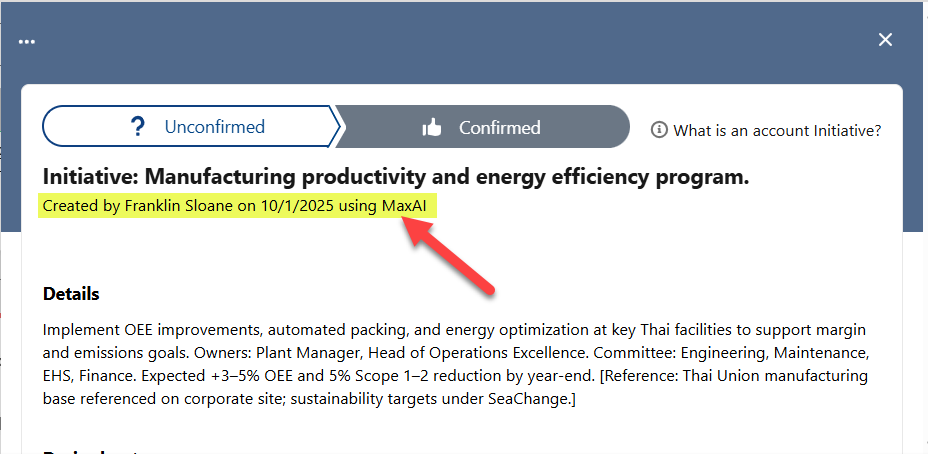
The insights generated by MaxAI are marked such as on the information panel (as shown in the example below).
MaxAI Revenue Execution: If your working on an opportunity insight map and your org has the MaxAI Revenue Execution agent installed, you can quickly access and create opportunity insights from any screen in Altify or Salesforce using the MaxAI agent.
For more prompt suggestions, see MaxAI Revenue Execution Agent: Prompt Library.