Introduction to MaxAI
MaxAI Is an extension to the Altify package. It allows your users to harness Agentforce as they work with Altify account and opportunity data.
Note: Salesforce Lightning is the required UI mode if you want to use MaxAI in your org.
When you install the MaxAI package, you have access to both of the following:
-
Packaged subagents, actions and prompt templates that can be combined to create the 'MaxAI Revenue Execution' agent. This agent helps your sellers and sales managers understand opportunity health, stakeholder dynamics, competitive positioning, and strategic action planning using Altify methodology.
For more information, see MaxAI Revenue Execution agent.
-
Three prompt templates that support the automated generation of insights (for account and opportunity insight maps) and account details.
For more information, see 'Generate with MaxAI' button.
MaxAI Revenue Execution agent
A powerful AI agent, 'MaxAI Revenue Execution' offers expert coaching and strategy across Altify Opportunity Manager. Your sales managers and sellers can access concise and detailed responses to questions such as:
-
'What are the top 3 risks with this opportunity?'
-
'Show me the top 3 vulnerabilities and top 3 recommended actions for this opportunity.'
-
'Help me draft an email to engage [Contact Name] based on the recommendation you have made.'
-
'Provide an executive summary of this opportunity.' (as shown in the example below)
-
'Create a call plan for this opportunity.'
-
'Analyze existing actions for this opportunity.'
-
'Who am I missing in this deal for this opportunity? Suggest missing stakeholders by role and why each matter.'
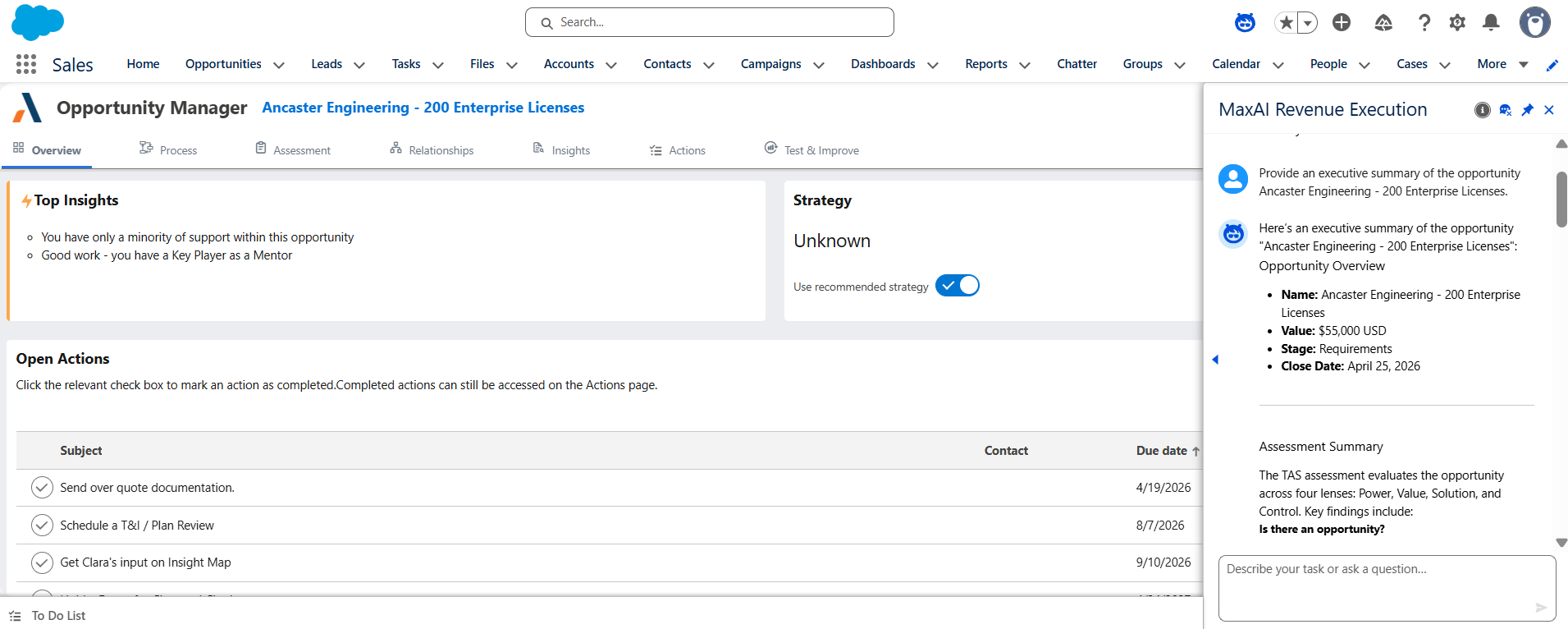
The agent also supports the population of insight maps, relationship maps, assessments and PRIME actions via the Agentforce chat, and quick access to your opportunity data from anywhere in your Salesforce org or Altify.
For assistance with installation and set up, see Installing MaxAI and Creating the Agent.
'Generate with MaxAI' button
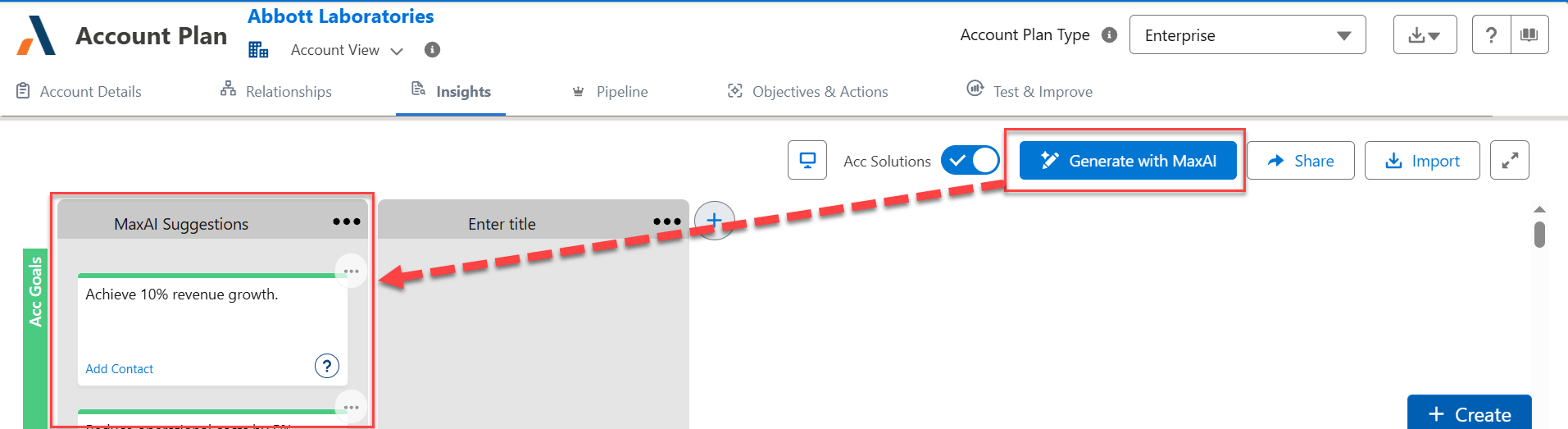
The 'Generate with MaxAI' button allows your users to generate AI-powered and editable data with a single click.
-
Generate suggested insights on account or opportunity insight maps:
-
Generate a suggested answer for an account/row detail question in your account plans and Account Manager plans.
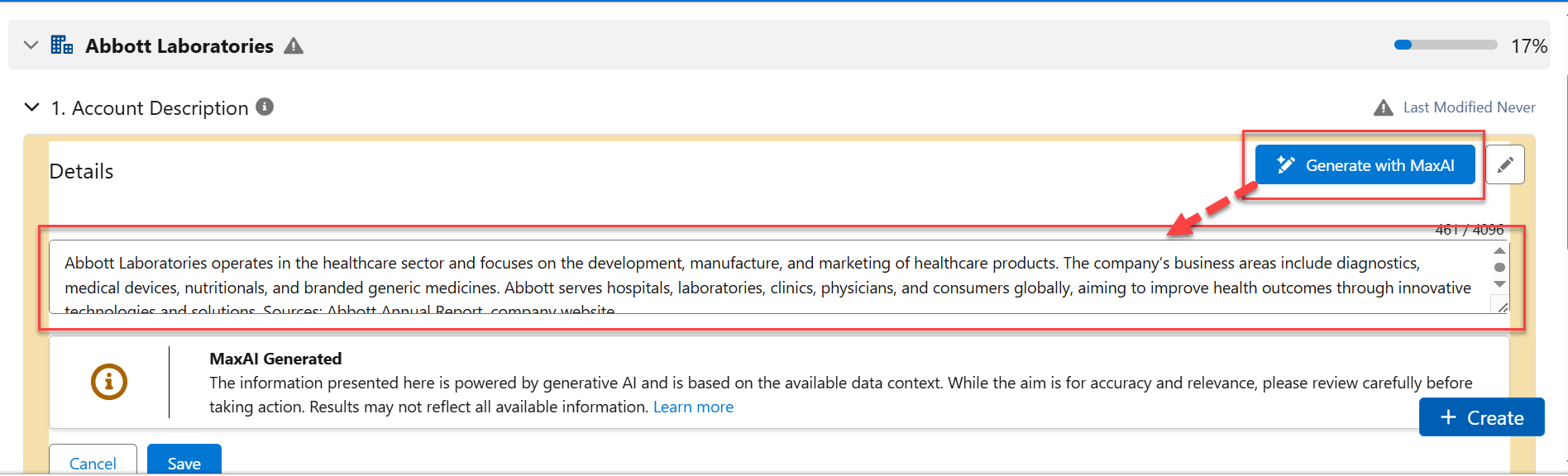
For account/row detail questions, you can determine which questions have a MaxAI option and create a specific prompt in each case to guide Agentforce in suggesting an answer.
For assistance with setting up, see Enabling the 'Generate with MaxAI' Button.