What's New
Note: Full release information is available in the Altify Insights 9.17 Release Notes. For help with installing, localizing or upgrading to Altify 9.17, see PDF Installation and Upgrade Guides.
Described below are the key changes delivered with this release:
MaxAI
Altify MaxAI Revenue Execution Agent
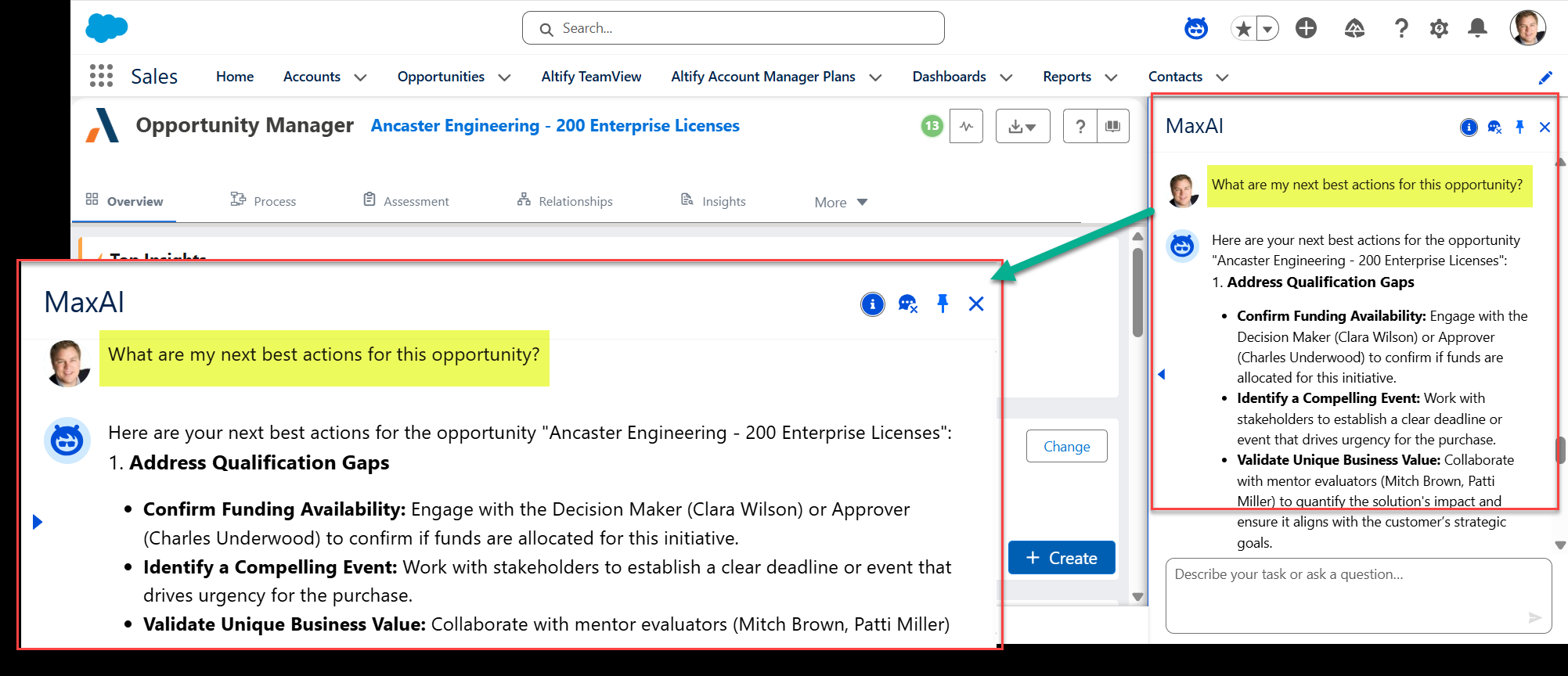
Access strategic opportunity coaching with the click of a button and a simple prompt.
With detailed and concise responses informed by real-time opportunity data and Altify methodology, the MaxAI Revenue Execution Agent concisely summarizes an opportunity, assessing risks and guiding next actions.
In the example shown below (What are my next best actions for this opportunity?), the MaxAI agent suggests next steps for the user to advance their deal.
For more information, see MaxAI Revenue Execution Agent: Prompt Library.
Opportunity-centric insight generation
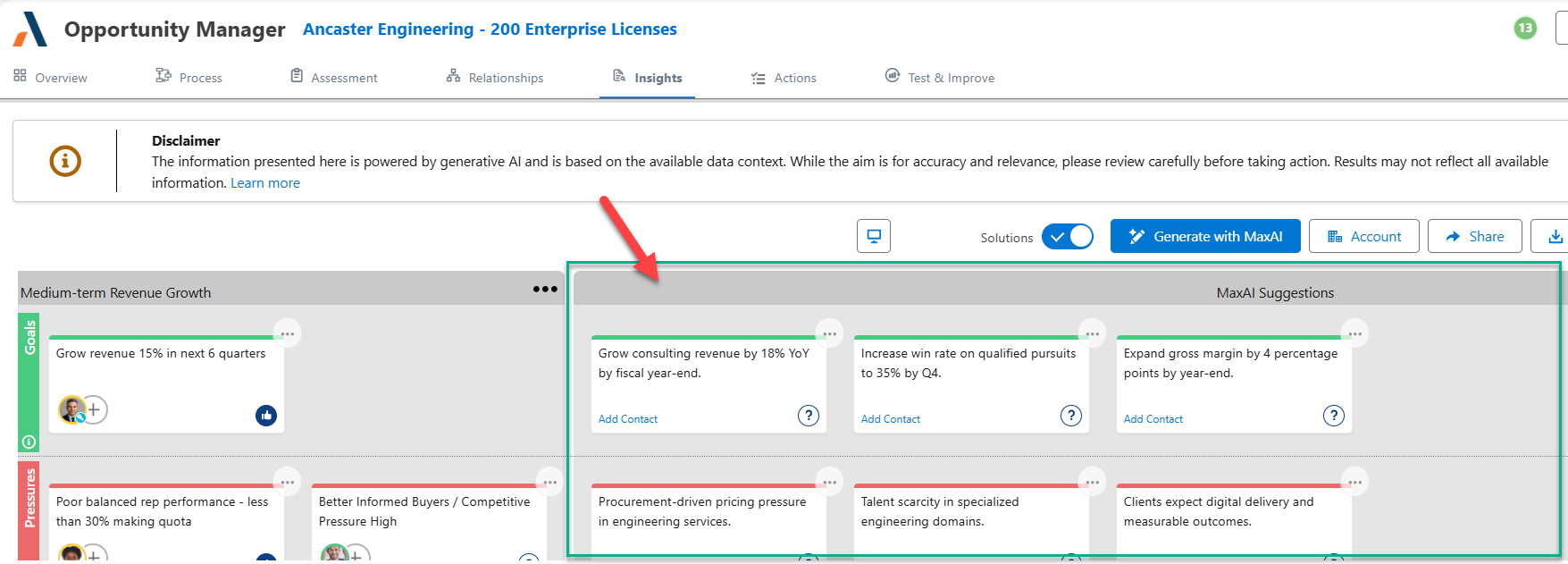
MaxAI will now generate insights specific to the opportunity with the click of a button. (Previously, the insights that were uncovered all derived from account data).
For more information, see Using MaxAI to Populate an Insight Map.
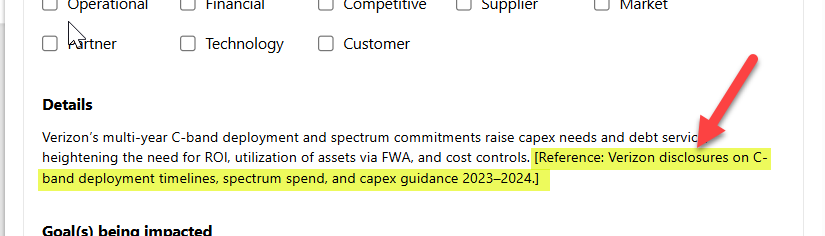
Clearly formatted citations
For MaxAI install and setup information, see Introduction to MaxAI.
Usability improvements
A number of small usability improvements are applied. These improvements are based on customer feedback and internal design review. They give the user a better experience and covers a number of interactions:
Relationship Map
-
Where key players are listed in Altify, they are now displayed in a hyperlink style so that is clear to users that they are clickable (to access the opportunity or account relationship map with the relevant contact information panel on display).
-
On the list view of a relationship map (for an account or opportunity), contact attributes are now listed in the order in which they are displayed on the contact information panel. This provides a continuous user experience across a relationship map's list and map views.