'One Click' Insight Generation with MaxAI
Need some assistance with unearthing insights and adding them to your
Note: This option is only available if your administrator has installed Altify’s MaxAI extension package or configured the AI Agnostic Connector, and enabled the Generate with MaxAI button. Speak to your admin for further information.
To generate insights for your
-
Click the button Generate with MaxAI in the upper right-hand corner of your

-
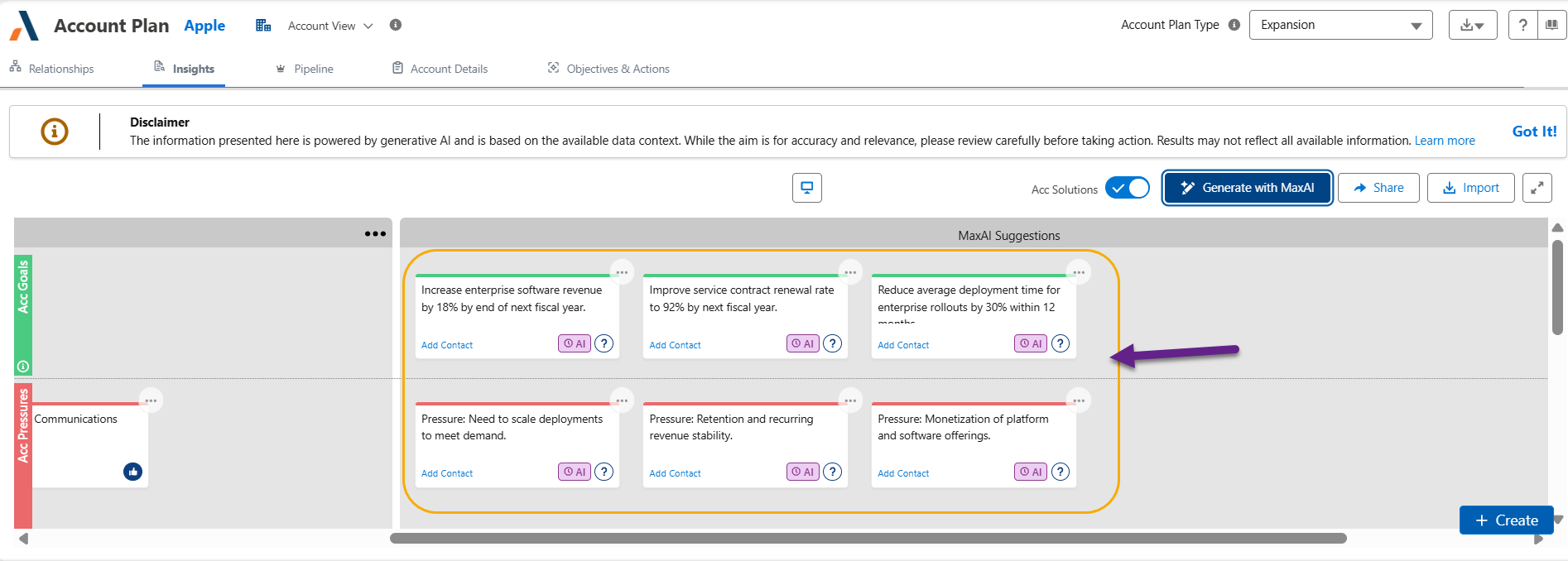
Following a few seconds of calculation, MaxAI saves its suggested insights in a new section entitled 'MaxAI Suggestions' - as indicated in the example below. Each suggested insight is marked with the AI badge
 , showing that it is pending acceptance.
-
Review the suggested insights, and accept or delete each one as described in Reviewing and accepting MaxAI's insights. You can also move the insights to other sections as required. (The section title can also be renamed).
Reviewing and accepting MaxAI's insights
Each insight that MaxAI generates is marked with an AI badge, so that you can see at a glance which insights still need your review:
-
- the insight is pending acceptance.
-
 - the insight has been accepted.
To review an insight that is pending acceptance, click its AI badge or open its information panel (as shown below). The message 'Drafted by MaxAI on [date] Pending Acceptance' is displayed. Do one of the following:
-
Click Accept to accept the insight as generated by MaxAI.
-
Click Delete to permanently delete the insight.
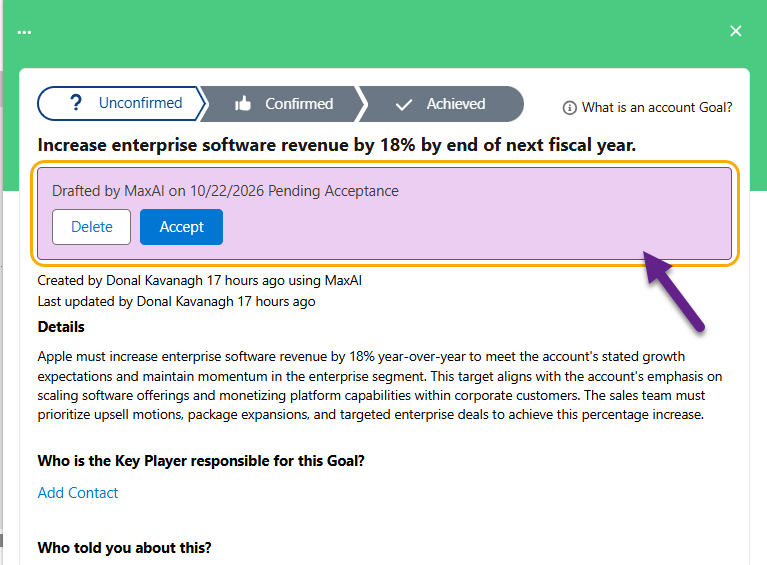
Alternatively, edit the insight as required. Editing an insight accepts it, so the badge changes to .
The information panel of an insight generated by MaxAI also shows who created it and when - for example, 'Created by [user name] 3 minutes ago using MaxAI'.
Insights added via AI chat
Your AI assistant (the MaxAI Revenue Execution agent or Altify's MCP Servers) can also create insights on your
-
New insights created by your AI assistant are marked with the badge
straight away, showing that they come from an AI source. -
When your AI assistant updates an existing insight, no AI badge is displayed.