To make advanced changes to the configuration of a sales process, such as making it your org's default process, or recalibrating the process in terms of deal sizes, do the following:
-
Go to the Altify Sales Process Admin page.
-
Click the name of the process that you want to edit.
-
On the sales process page, click the Advanced button (as indicated below).
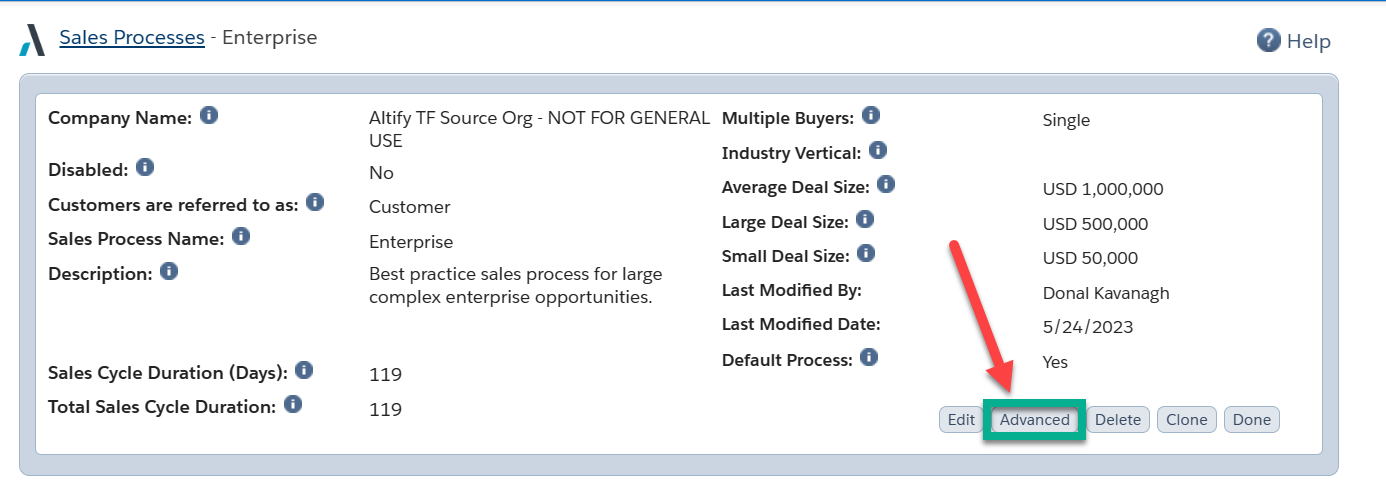
-
On the Advanced dialog, update the following fields as required:
Field Description Sales Cycle Duration (Days): Number of days that it usually takes to close a sales opportunity (of the type relevant to the process you are creating) from the time when it first became an opportunity to when you close the deal.
This is field not editable.
Closure Duration (Days) Number of days typically taken to close an opportunity after all the sales stages have been completed. Final Stage Probability % Probability of the opportunity closing after all sales stages have been completed. This is usually 100%. Default Sales Process Name Your current default sales process (if there is one).
This is field not editable.
Default Process If you want to make this the default sales process, set this to Yes. Where an opportunity does not map to a particular sales process (based on Sales Process Mappings you have configured) it will be assigned the default sales process.
The default process cannot be disabled.
Disabled Disabling a sales process means that it cannot be manually or automatically assigned to an opportunity. However, opportunities that are already assigned to the sales process are unaffected.
The default process cannot be disabled.
Average Deal Size Typical or average amount of a sales opportunity. Large Deal Size This is typically set to four times the average deal size, this is the value of an opportunity which you consider to be very large when compared to your average deal size for this sales process. It is used in conjunction with the Large Deal Size Warning to alert the sales person that their pipeline may contain an over-dependence on abnormally large deals. This would represent a potential risk in their pipeline. Small Deal Size This is typically set to one quarter of the average deal size, this is the value of an opportunity which you consider to be very small when compared to your average deal size for this sales process. It is used in conjunction with the Small Deal Size Warning to alert the sales person that their pipeline may contain a significant number of small deals. This would represent a potential risk in their pipeline. Large Deal Size Warning % This sets a threshold (as a percentage) of the pipeline value which is made up of abnormally large deals (the Large Deal Size above). If large deals constitute more than this percentage of your pipeline a warning is shown on TeamView. Small Deal Size Warning % This sets a threshold (as a percentage) of the pipeline value which is made up of abnormally small deals (the Small Deal Size above). If small deals constitute more than this percentage of your pipeline a warning is shown on TeamView. -
Click Save when you have finished editing.
-
Click Done on returning to the sales process page.