Accessing the MaxAI Revenue Execution Agent
The following are required for you to access the MaxAI Revenue Execution agent:
- Agentforce and the Altify MaxAI extension package are installed in your org.
- The MaxAI Revenue Execution agent is configured and activated by your administrator.
- You have the relevant Agentforce and MaxAI permissions.
To access MaxAI assistance, do the following:
-
Click the Agentforce icon
 .
.The Agentforce conversation panel is displayed.
-
If you have access to more than one agent, you may need to select MaxAI Revenue Execution in the drop-down menu - as shown in the example below.
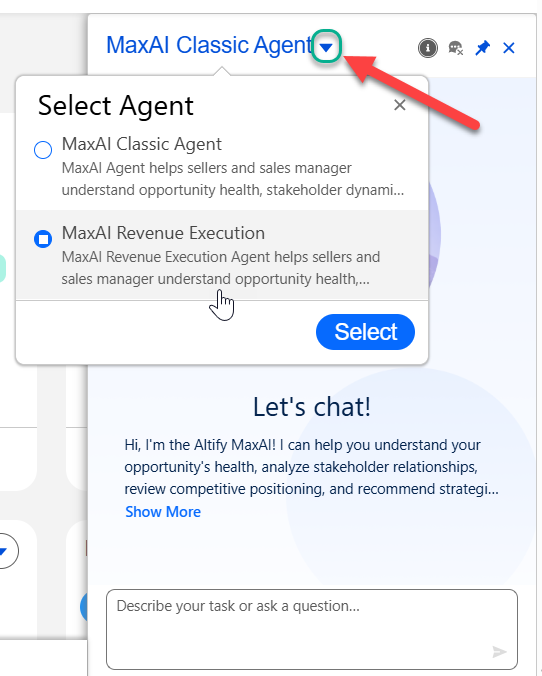
With the MaxAI Revenue Execution agent selected, you can begin querying the agent for opportunity strategy and guidance.