Removing a Contact from a Division View
For an account Relationship Map with division views, you have the option of removing a contact from a division view but they remain on the main account Relationship Map. Do this in either of the following ways:
-
By clearing the relevant value from the Division field on the details tab of their information panel.
-
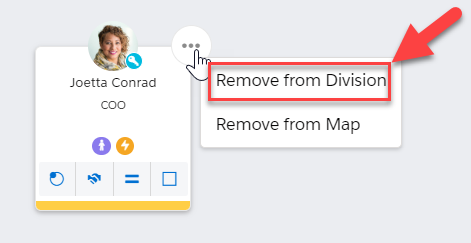
By selecting the Remove from Division option in the power menu of the relevant contact card (while viewing the relevant division on the Relationship Map) - as shown in the example below.
-
By removing them via the Manage Contacts panel (while viewing the division in question).