How are most recently updated attributes identified?
When adding contacts to your Relationship Map via the Add or
Note:
Importing to an account Relationship Map
If you are adding a contact to
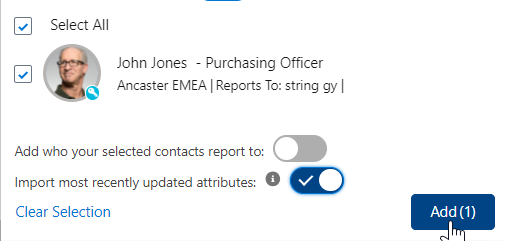
Example: I am adding 'John Jones' to the Micro Industries account Relationship Map and the toggle is enabled - as shown in the example below.
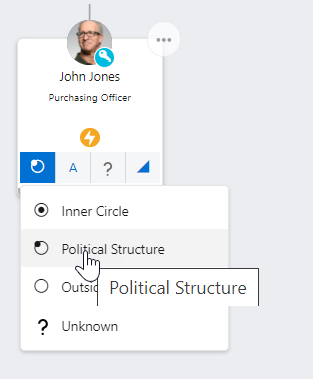
John Jones appears on several opportunity Relationship Maps associated with Micro Industries. His attributes were most recently updated on the 'Opportunity A' Relationship Map when his Political Status was updated from 'Outside Political Structure' to 'Political Structure'.
When I Add John Jones on to my account Relationship Map, his attributes are populated as per the Opportunity A Relationship Map.
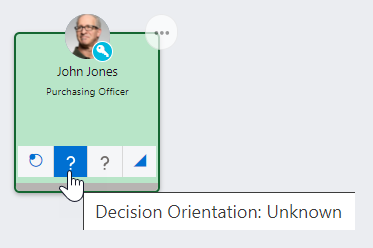
Note how Decision Orientation is set to 'Unknown' because this attribute does not exist on opportunity Relationship Maps; how the Buying Role is not imported because this attribute does not exist on account Relationship Maps; and how Support is set to 'Unknown' because this was the assigned value on the Opportunity A Relationship Map.
Importing to an opportunity Relationship Map
If you are adding a contact to an opportunity Relationship Map, Altify looks for that contact on any Relationship Map (account or opportunity) belonging to the same account, and identifies where any of their attributes were most recently updated.
-
If that happens to be an update on an opportunity Relationship Map, Altify imports all attribute values from that map.
-
If that happens to be an update on the account Relationship Map, Altify imports the Political Status, Support and Coverage attribute values, and then identifies the opportunity Relationship Map where any of the contact's attributes were most recently updated. The value is imported from that opportunity Relationship Map.
Example: I am adding 'Susan Peters' to the Micro Industries 'Opportunity A' Relationship Map and the toggle is enabled - as shown in the example below.
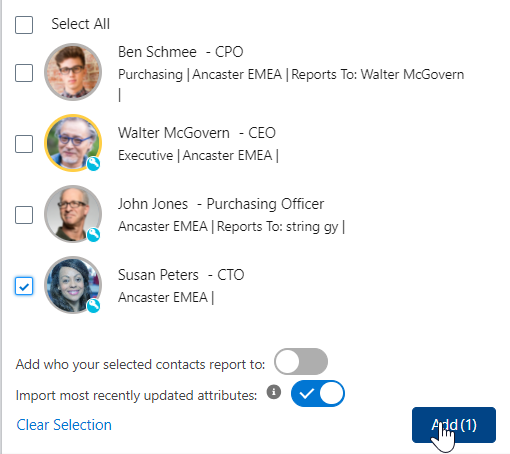
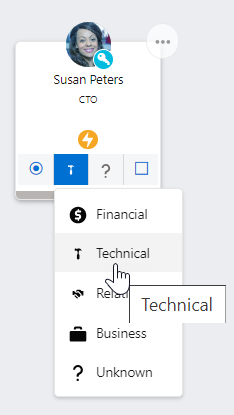
This contact's attributes were mostly recently updated on the Micro Industries account Relationship Map where Susan's Decision Orientation was set to 'Technical'.
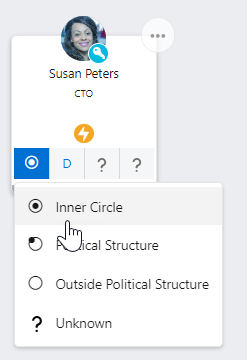
Susan also appears on a number of Micro Industries opportunity Relationship Maps. Of these, her attributes were most recently updated on 'Opportunity D', where Political Status was updated to 'Inner Circle'. Note that the attribute of Buying Role is set to 'Decision Maker'.
When I Add Susan Peters on to my 'Opportunity A' Relationship Map, her attributes are populated as follows:
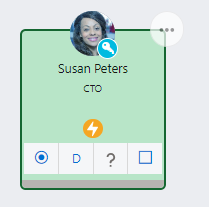
Note how Political Status, Support and Coverage are pulled from the Micro Industries account Relationship Map; and is pulled from the 'Opportunity D' Relationship Map.