Creating a Decision Criterion
Before adding a criterion, consider whether it is formal or informal:
- Formal: tangible, objective and measurable criteria, e.g. 24/7 support.
- Informal: intangible and subjective criteria, e.g. User-friendly.
-
Click Show Decision Criteria under the Formal Decision Criteria or Informal Decision Criteria question - as shown in the example below.
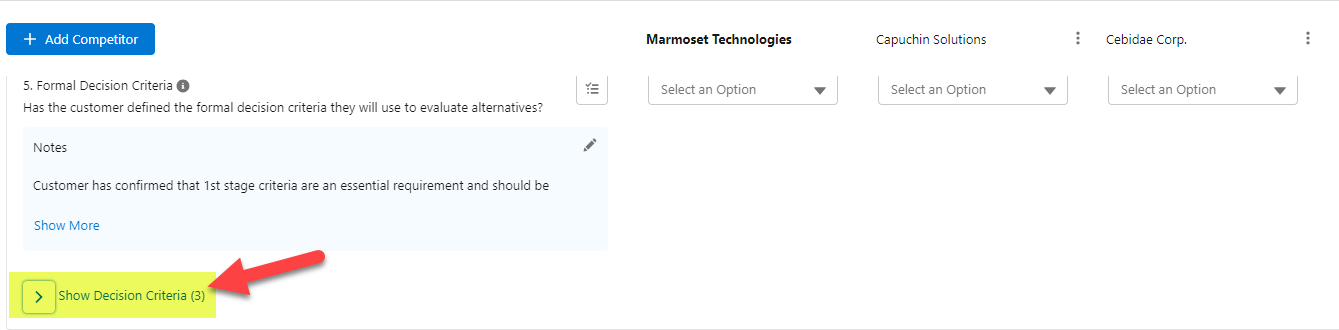
This hypertext appears as Add Decision Criteria if a criterion has not been added.
- Enter the name of your decision criterion in the text field provided.
- Click the Add button.
A panel is displayed on the right-hand of the screen (as shown in the example below) where you can add more information about the criterion, such as a contact for whom the criterion is an important consideration.
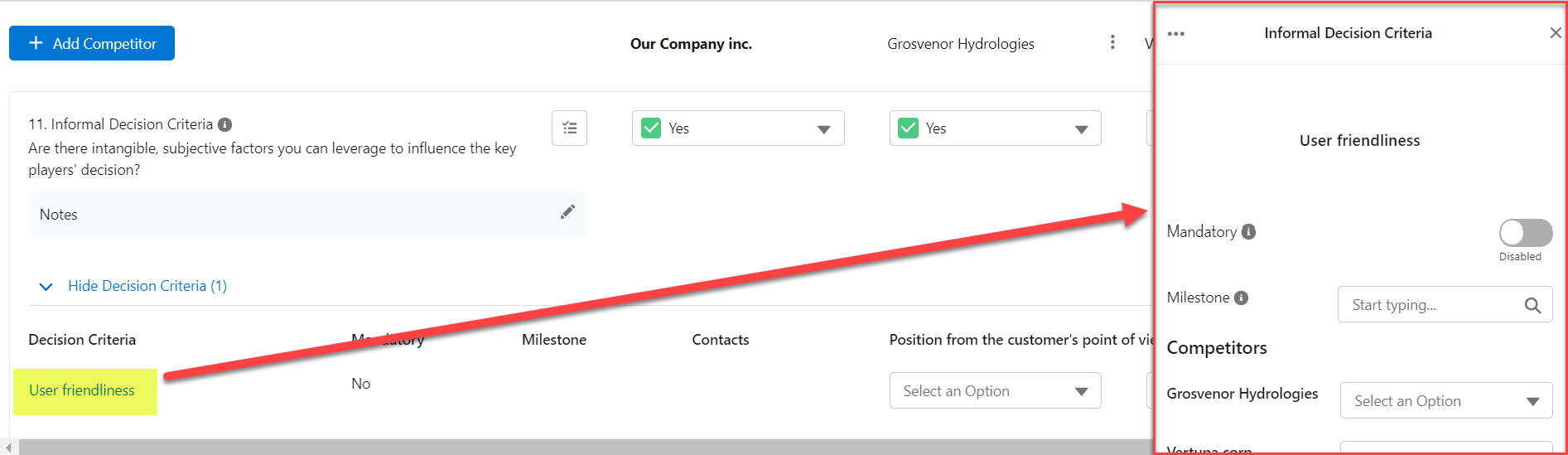
For more information, see Editing a Decision Criterion.